Locksmith Guide
How to Find an Available Locksmith Right Now
Yelp and Google show listings — not availability. Here's how to find a locksmith who can actually come now.
LockNear Team
Locksmith guides & home security
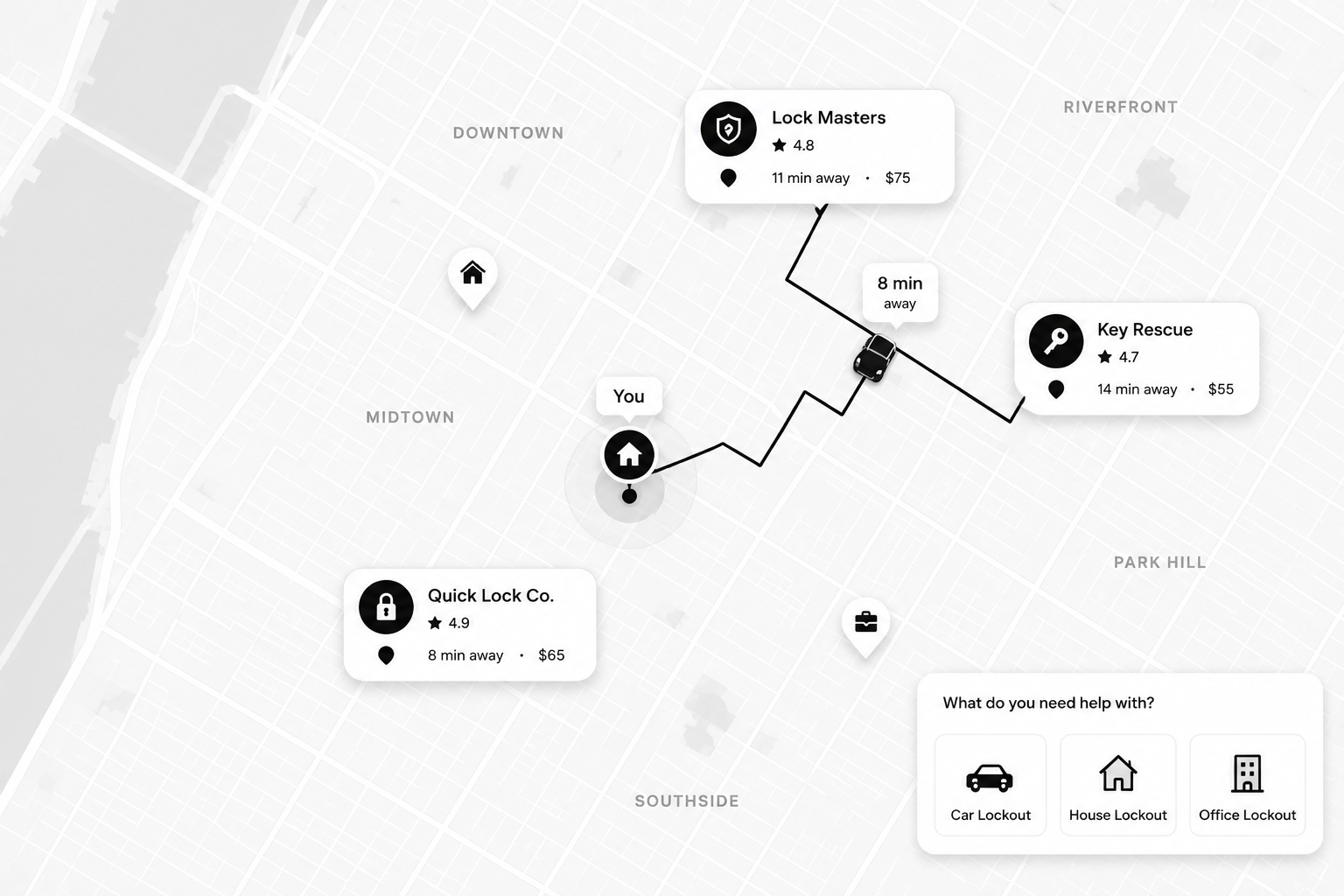
You're locked out. It's late. You Google "locksmith near me" and get a list of businesses — but **no idea who's actually available**.
That's the gap LockNear was built to fill.
The directory problem
Yelp, Thumbtack, Angi, and Google Maps are **directories**. They answer: "Who exists near me?"
They don't answer: **"Who can come right now?"**
You end up calling 5–10 numbers. Half don't answer. Half quote $200+ with vague ETAs.
What "available" actually means on LockNear
A locksmith on LockNear is **available** when they are:
1. **Online** on the provider app 2. **Within range** of your location 3. **Ready to accept** your job right now
You see their ETA and upfront price **before** you confirm.
How to use LockNear in 3 steps
1. Go to [locknear.com/search](/search) or enter your location on the homepage 2. Select your service (car lockout, home lockout, key replacement, etc.) 3. Compare available locksmiths and confirm — the first pro to accept gets dispatched
When directories still make sense
Directories are fine for **planned** work — researching a locksmith to rekey your home next week. For **emergencies**, real-time dispatch wins every time.
The difference in one sentence
> Google tells you who exists. LockNear tells you **who's available**.
[Find an available locksmith →](/search) · [See how LockNear compares to Yelp →](/locksmith-vs-yelp)
More blog posts to read
What Does a Locksmith Do? A Complete Guide
From car lockouts to master key systems — what locksmiths actually do, the different types, and when you should (and shouldn't) call one.
September 8, 2026 Is There a Locksmith Available Near Me Right Now?
How to find a locksmith who is actually available, actually nearby, and actually coming — not just listed in a directory.
March 15, 2026Get help now
LockNear connects you with verified locksmiths available near you — compare ETAs and upfront pricing before you book.
